
How do I create a course in Everact?
To create a course, click School in the left sidebar, then Create new course, and choose a template. Everact creates the course straight away and opens it in the course editor, where you name it and add your lessons.
How do I create a course?
Section titled “How do I create a course?”-
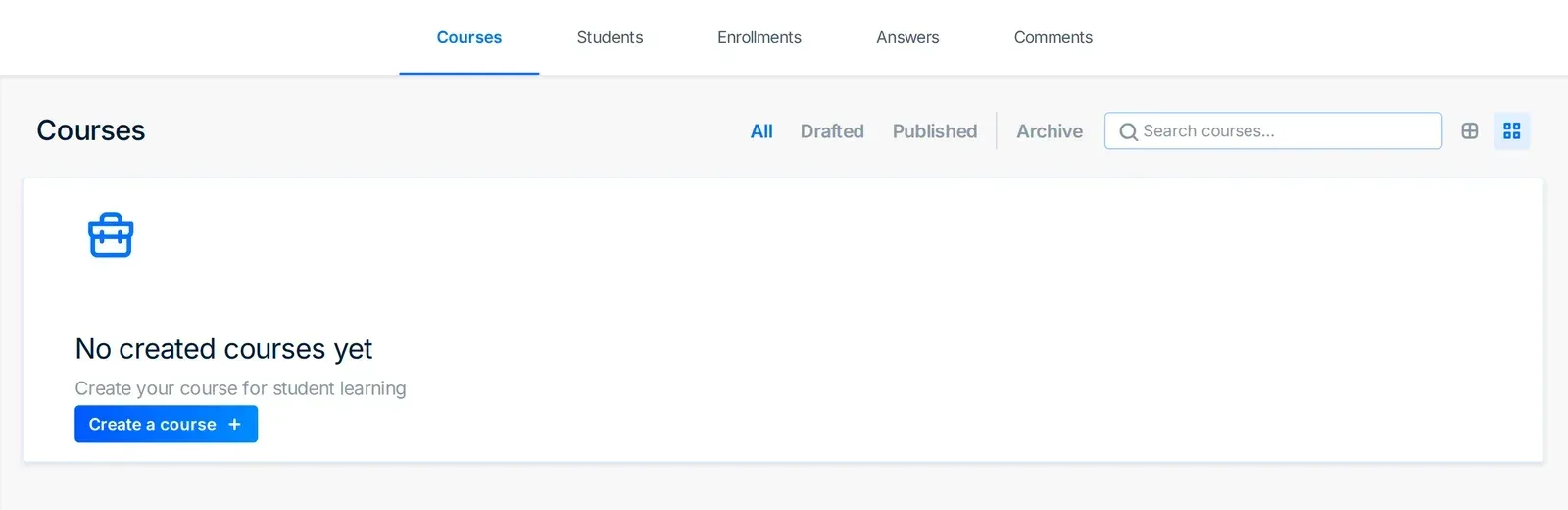
In the left sidebar, click School. The Courses page opens.
-
Click the Create new course tile. If you have no courses yet, the page shows No created courses yet — click Create a course instead.
-
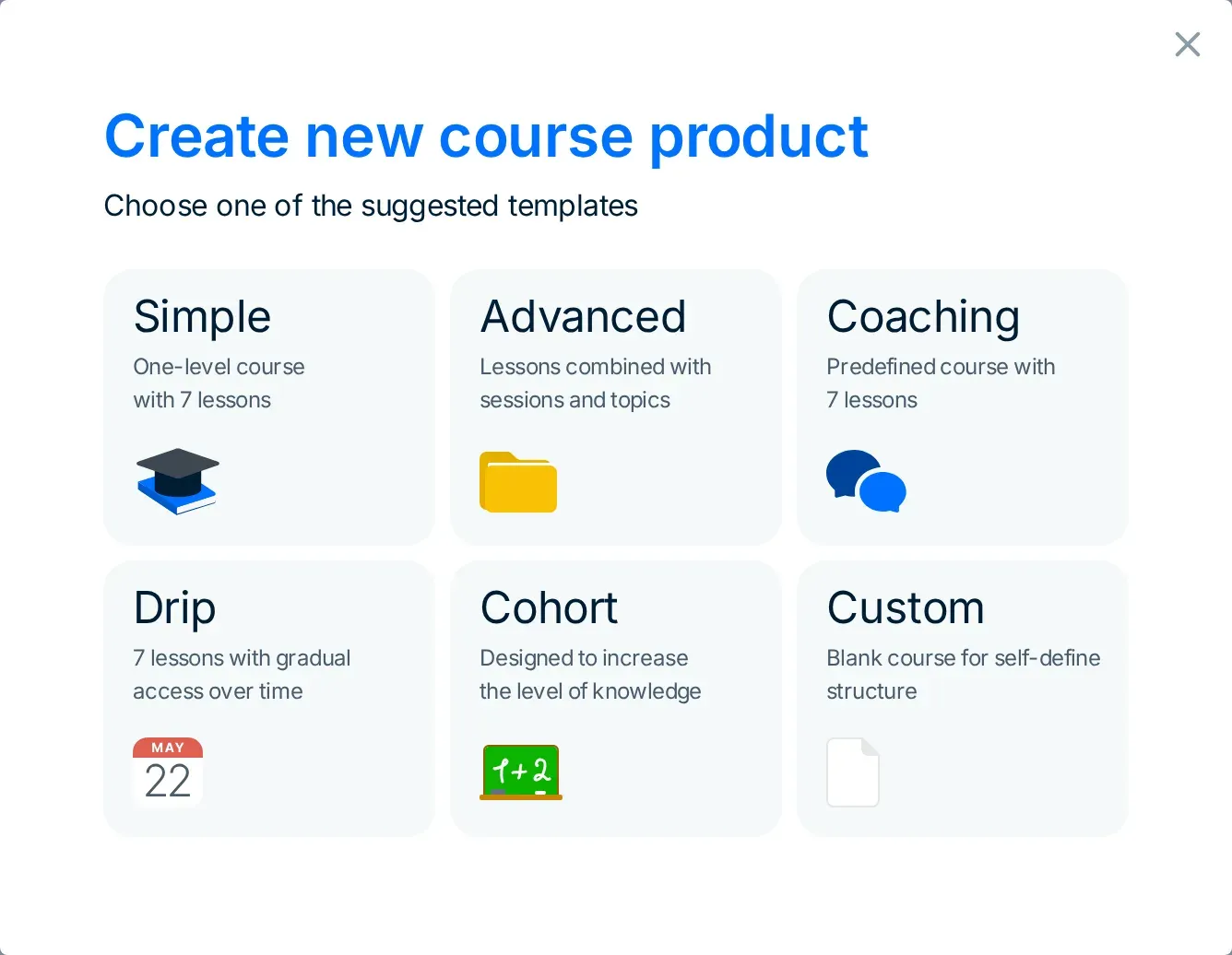
In the Create new course product window, click a template. Everact creates the course and opens it.
Which template should I choose?
Section titled “Which template should I choose?”Each template gives the new course a starting structure. You can change everything afterwards.
| Template | What you get |
|---|---|
| Simple | One-level course with 7 lessons |
| Advanced | Lessons combined with sessions and topics |
| Coaching | Predefined course with 7 lessons |
| Drip | 7 lessons with gradual access over time |
| Cohort | Designed to increase the level of knowledge |
| Custom | Blank course for self-define structure |
Choose Custom if you already know how your course is organised and want to build it from an empty outline. Cohort works differently from the others: instead of creating the course at once, it opens a separate setup for a cohort.
How do I rename the course?
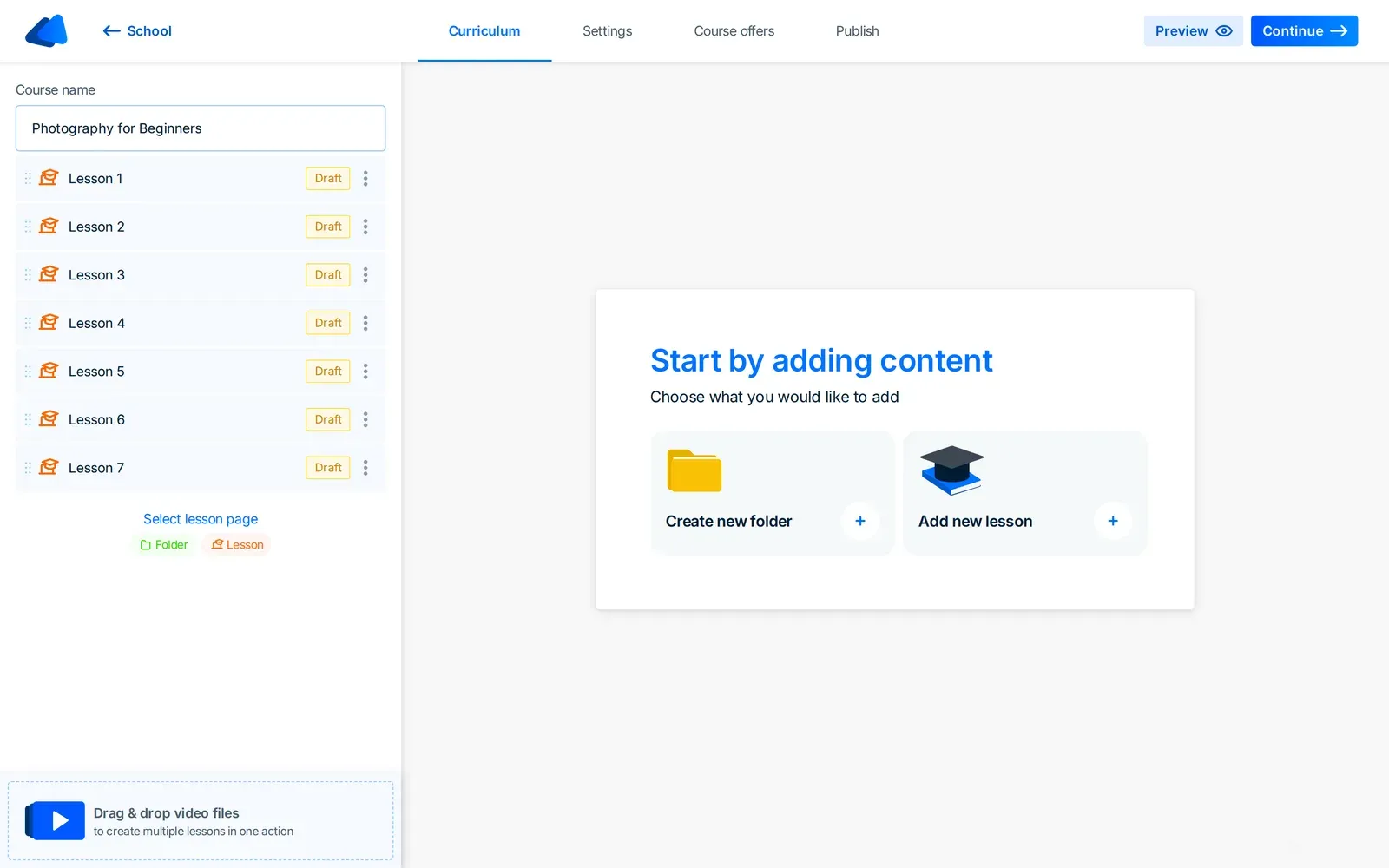
Section titled “How do I rename the course?”A new course is named New course plus a number, such as “New course 1”. Give it a name your students will recognise:
- In the course editor, find the Course name field at the top of the sidebar.
- Type the new name.
- Press Enter. Everact also saves the name when you click anywhere outside the field.
Can my students see the course yet?
Section titled “Can my students see the course yet?”No. Every new course starts as a draft, and so does every lesson in it — each one shows a Draft badge in the course editor. Students cannot see the course until you publish it from the Publish tab. Add your lessons first, then publish — see the product guides for the next steps. If you are still deciding what to put in your course, the Learn section covers planning and structuring an online course.
Ready to start? Open School in your Everact admin and create your first course.